Planning for Relocation - Phase III
I’m slightly delayed on making this post, since I finished it almost three weeks ago, but here it is!
Chrome actually has a semi-reasonable dev setup. Installing an extension from a folder is cake, and you can basically reload the plugin with a mild keypress. So then that leaves only the details, which is interesting in itself, mostly for the UX decisions.
Since I have other extensions in Chrome, and the first thing in the sample is the browser action, I originally thought about using it for almost everything. So considering the options for address identification on the page, it boils down to:
- Automagically on button click with NLP (The Cool Option)
- Highlight and Browser Action
- Highlight and Context Action
Arguably, the difference between 2 and 3 is minimal, but ultimately selecting 3 is a choice of how you want to use fine motor mouse skills: Navigate a context menu for an option…
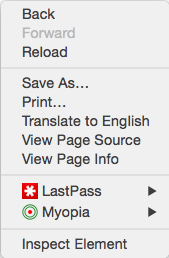
or mouse to the upper right corner. Every. Single. Time.

(Side note, the icon was made in Google Draw).
I figured the context menu would be a better bet.
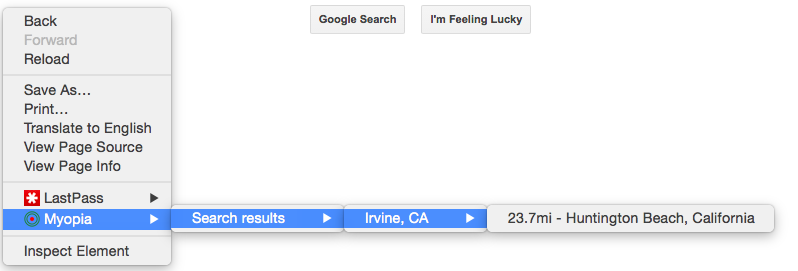
However, when it comes to making a UI, I’m notoriously lazy about making things pretty, after a point, and I was less than enthused about trying to figure out how to do a decent overlay. So I decided I’d stick the results into the context menu too. It’s incredibly annoying, but as a proof-of-concept hack, it works out just fine.
Of course this leads into how all of this is written. Which, in short, is for getting it out and to answer my own questions easily.
Originally I wanted to do a slightly more interesting with displaying a k-nearest neighbors, largely since the schools tend to cluster in areas where KSW is present, but for minimizing filtering and ease of processing I figured single-pass minimum was good enough.
After that, an identified address gets posted to the same Maps API that geocodes the schools. What I’m mostly interested in the Lat/Lon because it’s just a distance formula. Quick Google search, and with the help of my friends across the pond I ended up settling on implementing the Haversine version.
Lastly, once I has the final result, both the distance and the location label actually matter to me. Largely because if I want to check the school later, I need something more to go on than just the distance. Tends to be better that way when one is geographically deficient.
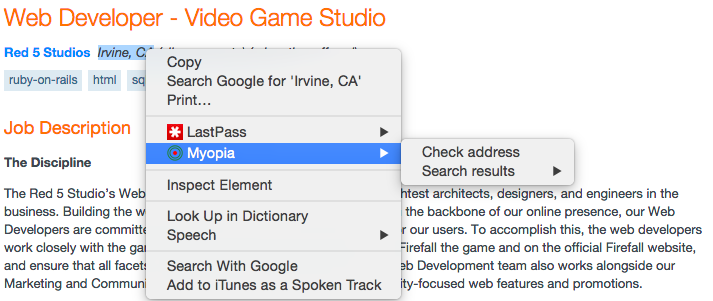
And some final actions shots, letting me know that if I wanted to be a web dev for the Firefall people (Which always had a surprisingly large area at PAX years before it even came out):